Best POS Inventory System for Small Business: Comprehensive Guide

Why Small Businesses Need a POS Inventory System
If you’ve ever spent a long Sunday evening surrounded by paper receipts, messy spreadsheets, and clipboards, you know the quiet agony of manual stocktaking. When you’re running a boutique store, a coffee shop, or a local hardware store, keeping track of every item on your shelves feels like a full-time job in itself. Yet, relying on guesswork or periodic physical counts leaves your business vulnerable to unexpected stockouts, tied-up capital, and missing stock that nobody can account for.
Adopting a modern pos inventory system for small business operations shifts your inventory control from reactive firefighting to active management. Instead of treating your checkout software and your stockroom as separate worlds, an integrated Point of Sale (POS) automatically updates your inventory quantities every time a transaction occurs. Whether an item is sold across the counter, scanned at a pop-up market, or purchased through your e-commerce storefront, your inventory count adjusts in real time.






The value of this visibility goes far beyond simply knowing what is on your shelves today. It provides historical sales trends, pinpoints your highest-margin products, reveals slow-moving goods that drain cash flow, and automates supplier purchase orders before key items run dry. For small businesses operating on thin margins, implementing an intuitive, accurate POS inventory platform is one of the most effective levers for protecting profitability.
Key Takeaways
- Automated Stock Updates: Integrating point-of-sale checkout with inventory tracking eliminates manual data entry and reduces human error.
- Multi-Channel Syncing: Real-time synchronization prevents over-selling across physical storefronts, pop-ups, and online e-commerce channels.
- Cash Flow Protection: Precise reorder points and low-stock alerts ensure capital isn’t tied up in stagnant, slow-moving stock.
- Variant & Matrix Management: Efficient handling of product variations like size, color, style, or ingredient recipes keeps catalog management clean.
- Data-Driven Purchasing: Historical reporting reveals true profit margins, seasonal demand curves, and shrinkage rates across departments.
The Real Costs of Manual Inventory Management
Many independent retailers begin their journey using manual ledger books, simple spreadsheet templates, or cash registers disconnected from their inventory records. While this setup saves money upfront on software subscriptions, it creates hidden operational drag that compounds over time.
1. Phantom Stock and Over-Selling
Phantom stock occurs when your records say an item is available on the shelf, but it’s missing due to theft, damage, misplaced boxes, or unrecorded sales. When a customer arrives to purchase that item—or worse, buys it online through your website—you’re forced to cancel the order or explain why the shelf is bare. This damages your brand reputation and pushes shoppers straight to your competitors.
2. Capital Tied Up in Dead Stock
Without clear sales analytics tied directly to inventory records, it’s easy to reorder items based on gut feelings rather than actual demand. Over-ordering slow-selling merchandise locks up precious working capital on your shelves. That money could otherwise cover operating expenses, marketing initiatives, or investments in popular product categories.
3. The Hidden Cost of Hours Lost to Audits
Conducting full physical inventory counts with pen and paper requires closing the shop early or paying staff overtime to count every unit manually. A modern POS inventory system for small business management enables cycle counting—a method where staff audit small subsets of stock on a rolling basis without interrupting store hours or burning through labor budgets.
Essential Features to Look for in Small Business POS Systems
Not every point of sale platform handles inventory with the same level of depth. A system designed for a simple service business might let you record sales, but it won’t give you the stock tracking tools needed for multi-SKU retail operations. When evaluating options, prioritize these core functionalities:
Real-Time Stock Tracking Across Locations
Whether you operate a single brick-and-mortar storefront or plan to expand to multiple locations, your system must track stock levels dynamically. If an item sells at Location A, the central database should update instantly. If you transfer items from a central storage warehouse to your retail floor, the platform should track that transfer movement with full accountability.
Automated Purchase Orders and Low-Stock Alerts
Setting minimum stock thresholds (reorder points) allows your system to alert managers when stock drops below a safe operational margin. Top-tier software goes further by generating draft purchase orders automatically, pre-populated with supplier details, cost prices, and recommended reorder quantities based on historical sales velocity.
Variant and Matrix Inventory Support
If you sell apparel, footwear, or customizable goods, you need item matrix support. Instead of creating distinct, unlinked product entries for every variation, matrix inventory lets you organize products under a single master SKU with variations for size, color, material, or style. This keeps your inventory database organized and makes purchasing fast.
Barcode Generation and Scanning
Barcoding is the backbone of accurate stock control. Look for a system that allows you to print customized barcode labels directly from your product catalog and scans standard UPC or EAN codes during receiving, cycle counts, and customer checkout.
Ingredient and Composite Tracking (BOM)
For bakeries, coffee shops, and quick-service food vendors, inventory tracking isn’t about counting finished boxes; it’s about tracking raw ingredients. A POS system featuring Bill of Materials (BOM) functionality deducts ounces of espresso beans, cups of milk, and paper cups every time a customer purchases a latte.
Comparing POS Inventory Architecture for Small Business
Choosing the right architecture shapes how your team interacts with inventory tools day to day. Below is a comparison of common system structures available to small businesses:
| System Type | Best Suitable For | Pros | Cons | Typical Cost Tier |
|---|---|---|---|---|
| Cloud-Based POS | Retail boutiques, multi-location shops, e-commerce brands | Access data anywhere, automatic updates, easy multi-channel integration | Requires stable internet (though many offer basic offline modes) | Monthly subscription ($49–$150/mo) |
| Legacy On-Premise | Established single-location stores with specialized server setups | Works entirely offline, no ongoing monthly software fees | High upfront hardware cost, complex manual software updates, limited remote access | High upfront purchase ($2,000+) |
| Mobile POS (mPOS) | Pop-up shops, food trucks, small stalls, service providers | Low hardware costs, extreme portability, quick setup on tablets/phones | Advanced inventory tools (matrix, BOM, purchase orders) may be limited | Low cost / Pay-per-transaction |
Understanding Software Architecture Options
Cloud-based POS systems have largely replaced legacy server software for good reason. They allow business owners to log into their backend inventory system from home, review sales reports on their phone, and instantly update pricing across all channels. However, it’s essential to confirm that your chosen cloud platform includes an effective offline mode. If your internet connection drops during peak business hours, your checkout line should continue scanning items and queuing sales data to sync automatically once connectivity is restored.
Editorial Insight: Inventory management isn’t just about counting what you have; it’s about optimizing your inventory turnover ratio. A system that highlights your top 20% most profitable products gives you the strategic insight needed to reallocate working capital effectively.
Hardware Requirements for POS Inventory Tracking
While software provides the central logic, hardware bridges the physical world of your retail floor with your digital catalog. Getting the right hardware balance prevents checkout bottlenecks and simplifies stockroom audits.
1. Barcode Scanners
Investing in reliable 1D and 2D barcode scanners dramatically accelerates both sales processing and inventory intake. 2D scanners can read barcodes off smartphone screens, which is ideal if you offer digital loyalty cards or mobile coupons. For stocktaking in large stockrooms, wireless Bluetooth scanners allow staff to walk down aisles without tethered cables.
2. Label Printers
Dedicated thermal barcode label printers allow you to tag unbranded merchandise, custom crafts, or incoming wholesale items immediately upon receiving. Thermal printers don’t require expensive ink cartridges, making them cost-effective for high-volume tagging operations.
3. Tablets and Smart Terminals
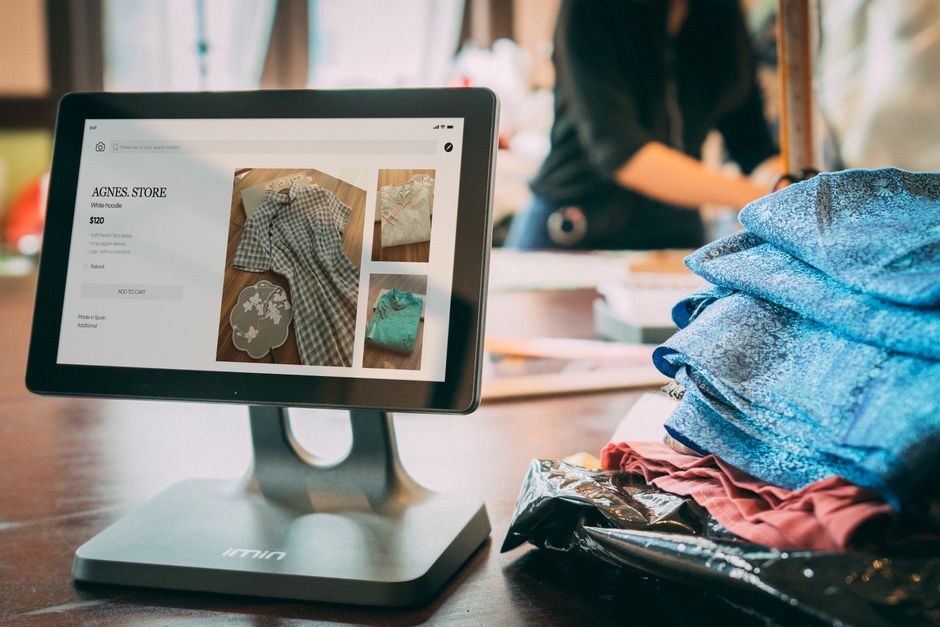
Modern cloud systems run smoothly on iPads, Android tablets, or dedicated terminal hardware. Tablets give employees mobility on the retail sales floor, allowing them to check stock levels, locate item variations in the backroom, or complete transactions anywhere in the store.
Step-by-Step Implementation Guide for Small Businesses
Transitioning to a new pos inventory system for small business workflows requires careful planning. Rushing the process without preparing your product data often leads to corrupted stock records and employee frustration. Follow these steps to ensure a smooth transition:
Step 1: Clean Your Existing Product Data
Before uploading your catalog into a new system, standardize item titles, SKU codes, categories, supplier details, and pricing rules. Eliminate duplicate entries and archive discontinued lines. Feeding clean data into your new platform prevents search errors and categorization issues later on.
Step 2: Establish Consistent SKU Naming Conventions
Create a structured SKU format that makes logical sense to your team. For instance, using TSH-BLK-MED for a black medium t-shirt makes stock identification intuitive compared to random numeric strings. Keep SKU patterns consistent across all categories.
Step 3: Conduct a Full Baseline Physical Count
Never import historical stock estimates into a new POS system. Perform a complete, physical stock count immediately before going live. Shut down sales temporarily or conduct the audit after business hours to establish an accurate inventory starting baseline.
Step 4: Train Staff on Exception Handling
Most inventory errors occur during non-standard transactions like returns, damaged item write-offs, exchanges, or customer holds. Establish strict Standard Operating Procedures (SOPs) for these scenarios, and train your staff thoroughly on how to log these changes in the POS.
Evaluating the Real ROI of a POS Inventory System
While hardware acquisition and monthly software fees represent an upfront investment, an effective inventory system pays for itself through operational efficiencies and margin improvements:
- Reduced Holding Costs: By eliminating excess stock and maintaining lean inventory buffers, businesses save between 10% and 30% on inventory carrying costs annually.
- Minimized Shrinkage: Detailed stock tracking highlights discrepancies between recorded inventory and physical counts, helping identify shoplifting, vendor short-shipments, or administrative errors early.
- Higher Sales Conversion: Real-time cross-location visibility means staff can hold items at neighboring locations or ship directly to customers, saving sales that would otherwise be lost to out-of-stock items.
Frequently Asked Questions
How much does a POS inventory system cost for a small business?
Costs generally range from $49 to $150 per month for cloud-based software subscriptions per register. Basic hardware bundles (tablet stand, barcode scanner, receipt printer, and cash drawer) usually cost between $500 and $1,500 as a one-time purchase. Enterprise-grade or specialized retail hardware setups can run higher depending on customization requirements.
Can a POS inventory system handle online and in-store sales simultaneously?
Yes. Top modern POS systems integrate directly with popular e-commerce platforms like Shopify, WooCommerce, BigCommerce, and Magento. When a item is purchased online, the system automatically deducts it from your available physical inventory count, preventing accidental double-selling.
Do I need constant internet access to run a cloud POS inventory system?
Most leading cloud POS platforms feature built-in offline modes. This allows you to continue scanning items, accepting credit card payments (or queuing cash sales), and printing receipts during network outages. Once your connection is restored, the system automatically syncs transactions with your central database.
How long does it take to migrate stock data to a new POS platform?
Data migration typically takes anywhere from a few days to two weeks, depending on the size of your product catalog and the cleanliness of your existing records. Pre-formatting product lists in CSV templates speeds up the import process significantly.
What is the difference between simple inventory tracking and matrix inventory?
Simple inventory tracks standalone items with unique SKUs (like a specific book or coffee mug). Matrix inventory groups item variations (like a shoe available in five sizes and three colors) under a single parent catalog entry while still tracking individual stock quantities for each specific variation combination.
How do automated reorder points work?
Automated reorder points use minimum stock limits set by managers. When stock drops to or below that designated threshold, the POS system triggers an alert or automatically generates a pre-populated purchase order for your designated supplier, ensuring key inventory is replenished before running completely out of stock.
Conclusion
Choosing the right pos inventory system for small business operations is more than a administrative upgrade—it’s a foundational strategy for sustainable profit growth. Moving away from manual counting methods and disconnected tools eliminates the friction that slows business down. With clear, real-time insights into your stock levels, sales trends, and purchasing needs, you gain the clarity required to protect cash flow, keep customers happy, and scale your business with confidence.